PRODUCT GUIDEDetailed information for customers
Clear product information, practical Windows guidance and transparent purchase context.
Start with the symptom
Windows repair works best when the user begins with a specific symptom: failed updates, damaged system components, unusual startup behavior or another identifiable problem. Random changes can make troubleshooting harder.
For Windows repair and maintenance, the important principle is clarity: review what the tool reports, understand the proposed action, and keep control of changes. Windows configurations differ between computers, so results and available actions can vary by device, Windows version, installed software and user permissions.
Helix One PC documentation and support pages are intended to explain the workflow in plain language. Customers can use the navigation above to compare features, pricing, downloads and support information without leaving the product website.
Built-in Windows capabilities
Windows provides built-in diagnostic and repair mechanisms for supported problems. Helix One PC organizes supported maintenance workflows in a clearer interface while leaving important decisions with the user.
For Windows repair and maintenance, the important principle is clarity: review what the tool reports, understand the proposed action, and keep control of changes. Windows configurations differ between computers, so results and available actions can vary by device, Windows version, installed software and user permissions.
Helix One PC documentation and support pages are intended to explain the workflow in plain language. Customers can use the navigation above to compare features, pricing, downloads and support information without leaving the product website.
Repair is not the same as optimization
A repair action addresses a particular fault or damaged component; optimization focuses on configuration and resource use. Keeping those ideas separate leads to clearer expectations and safer maintenance.
For Windows repair and maintenance, the important principle is clarity: review what the tool reports, understand the proposed action, and keep control of changes. Windows configurations differ between computers, so results and available actions can vary by device, Windows version, installed software and user permissions.
Helix One PC documentation and support pages are intended to explain the workflow in plain language. Customers can use the navigation above to compare features, pricing, downloads and support information without leaving the product website.
Protect data before major changes
Important files should be backed up before substantial repair or removal work. No utility can guarantee recovery from failing storage, unexpected power loss or every third-party software conflict.
For Windows repair and maintenance, the important principle is clarity: review what the tool reports, understand the proposed action, and keep control of changes. Windows configurations differ between computers, so results and available actions can vary by device, Windows version, installed software and user permissions.
Helix One PC documentation and support pages are intended to explain the workflow in plain language. Customers can use the navigation above to compare features, pricing, downloads and support information without leaving the product website.
Updates and compatibility
Windows updates, device drivers and application versions can affect system behavior. Compatibility should be checked before making a repair decision, especially on business PCs with specialized software.
For Windows repair and maintenance, the important principle is clarity: review what the tool reports, understand the proposed action, and keep control of changes. Windows configurations differ between computers, so results and available actions can vary by device, Windows version, installed software and user permissions.
Helix One PC documentation and support pages are intended to explain the workflow in plain language. Customers can use the navigation above to compare features, pricing, downloads and support information without leaving the product website.
When professional help is appropriate
Repeated crashes, suspected hardware failure, data loss, encryption problems or security incidents may require specialist assistance. A maintenance application should not pretend that every problem is a one-click software fix.
For Windows repair and maintenance, the important principle is clarity: review what the tool reports, understand the proposed action, and keep control of changes. Windows configurations differ between computers, so results and available actions can vary by device, Windows version, installed software and user permissions.
Helix One PC documentation and support pages are intended to explain the workflow in plain language. Customers can use the navigation above to compare features, pricing, downloads and support information without leaving the product website.
Helix One PC repair workflow
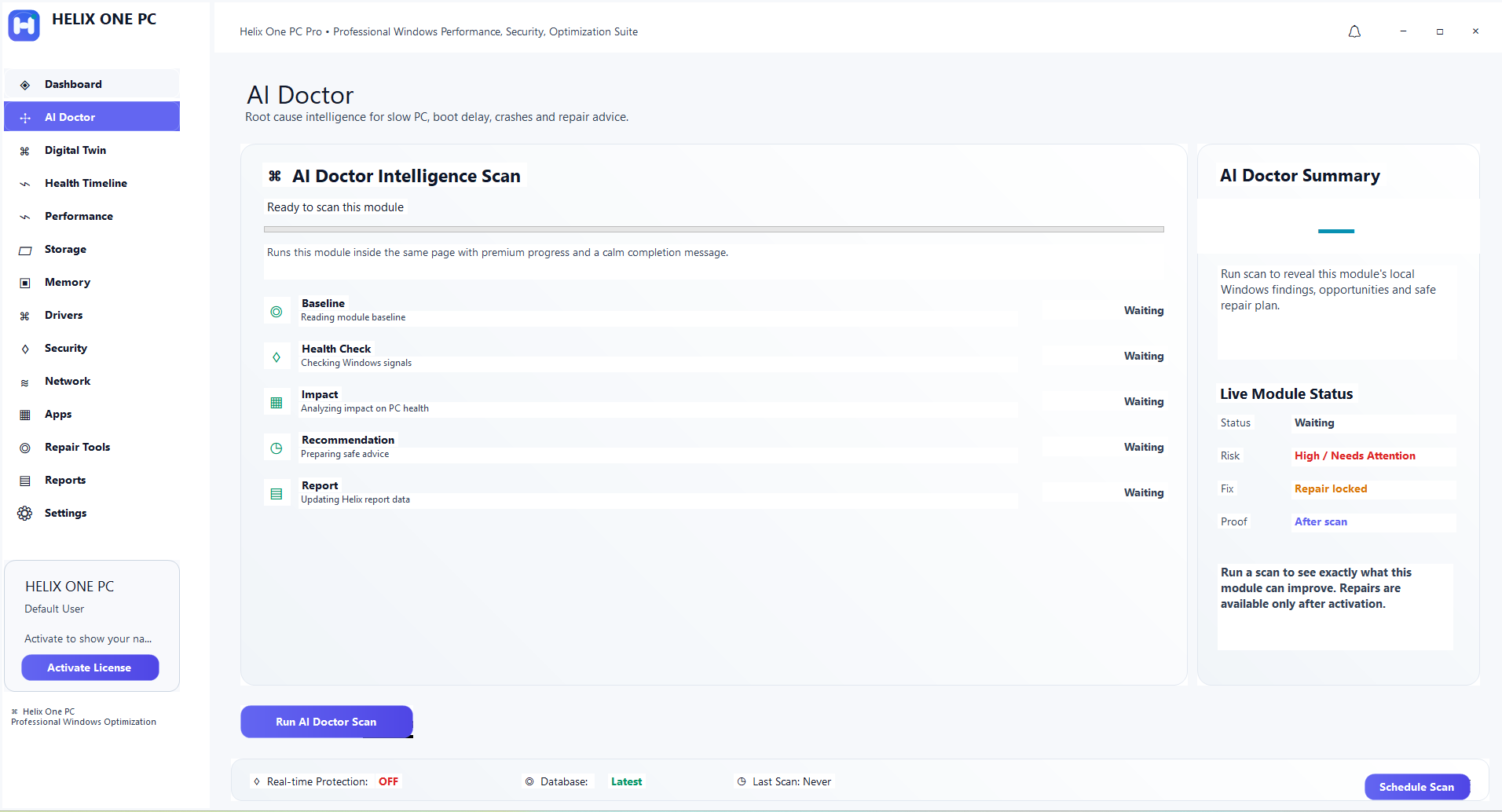
The product provides supported Windows repair and maintenance access within the same dashboard used for health review, allowing customers to inspect relevant information before proceeding.
For Windows repair and maintenance, the important principle is clarity: review what the tool reports, understand the proposed action, and keep control of changes. Windows configurations differ between computers, so results and available actions can vary by device, Windows version, installed software and user permissions.
Helix One PC documentation and support pages are intended to explain the workflow in plain language. Customers can use the navigation above to compare features, pricing, downloads and support information without leaving the product website.
Related resources
The PC Health Check, Features, Guides and Contact sections provide additional context for customers who want to understand a problem before choosing a maintenance action.
For Windows repair and maintenance, the important principle is clarity: review what the tool reports, understand the proposed action, and keep control of changes. Windows configurations differ between computers, so results and available actions can vary by device, Windows version, installed software and user permissions.
Helix One PC documentation and support pages are intended to explain the workflow in plain language. Customers can use the navigation above to compare features, pricing, downloads and support information without leaving the product website.
Frequently asked questions
Does this guarantee a faster computer?
No. Performance depends on hardware, Windows, applications, background services and other factors. The software provides supported diagnostic and maintenance tools rather than a guaranteed speed increase.
Is it safe to make every suggested change?
Users should review changes first and keep backups of important data. A recommendation or detected item is not automatically proof that it should be removed.
Which Windows versions are targeted?
The current product pages are designed around Windows 10 and Windows 11 PCs. Exact feature availability can depend on the computer and Windows configuration.
Where can customers get help?
Use the Contact and support options available throughout the Helix One PC website. Keep your purchase email and order information available when asking about licensing or activation.
Are the two products the same license?
No. Helix One PC and Helix One PC Uninstaller Pro are presented as separate products and have separate purchase paths.